跳转到主要内容

OpenLIT 概览

OpenLIT 是一个开源工具,只需一行代码即可轻松监控 AI 代理、LLM、VectorDB 和 GPU 的性能。 它提供 OpenTelemetry 原生跟踪和指标,用于跟踪成本、延迟、交互和任务序列等重要参数。此设置使您能够跟踪超参数并监控性能问题,帮助您找到随着时间推移改进和微调代理的方法。
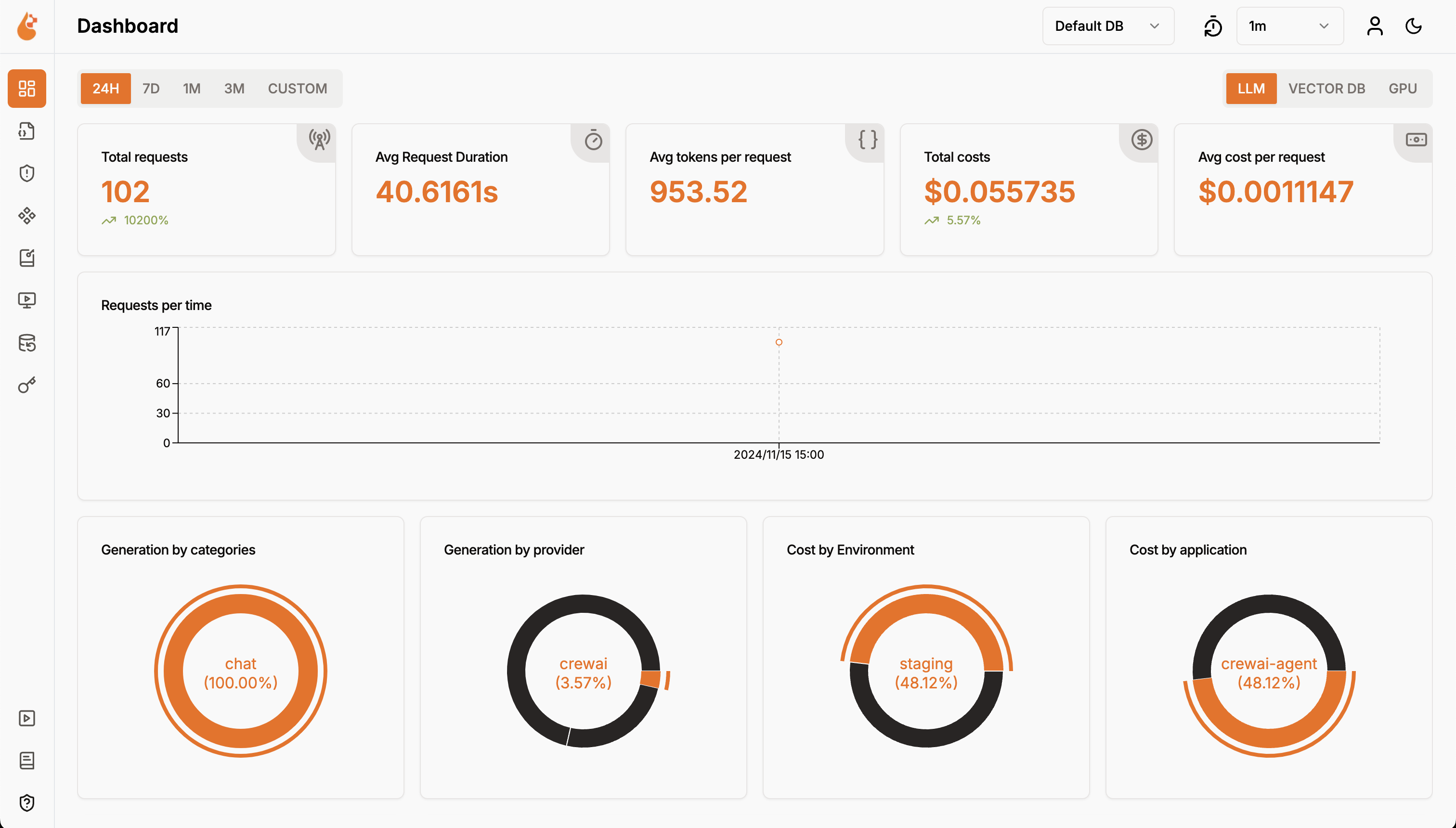
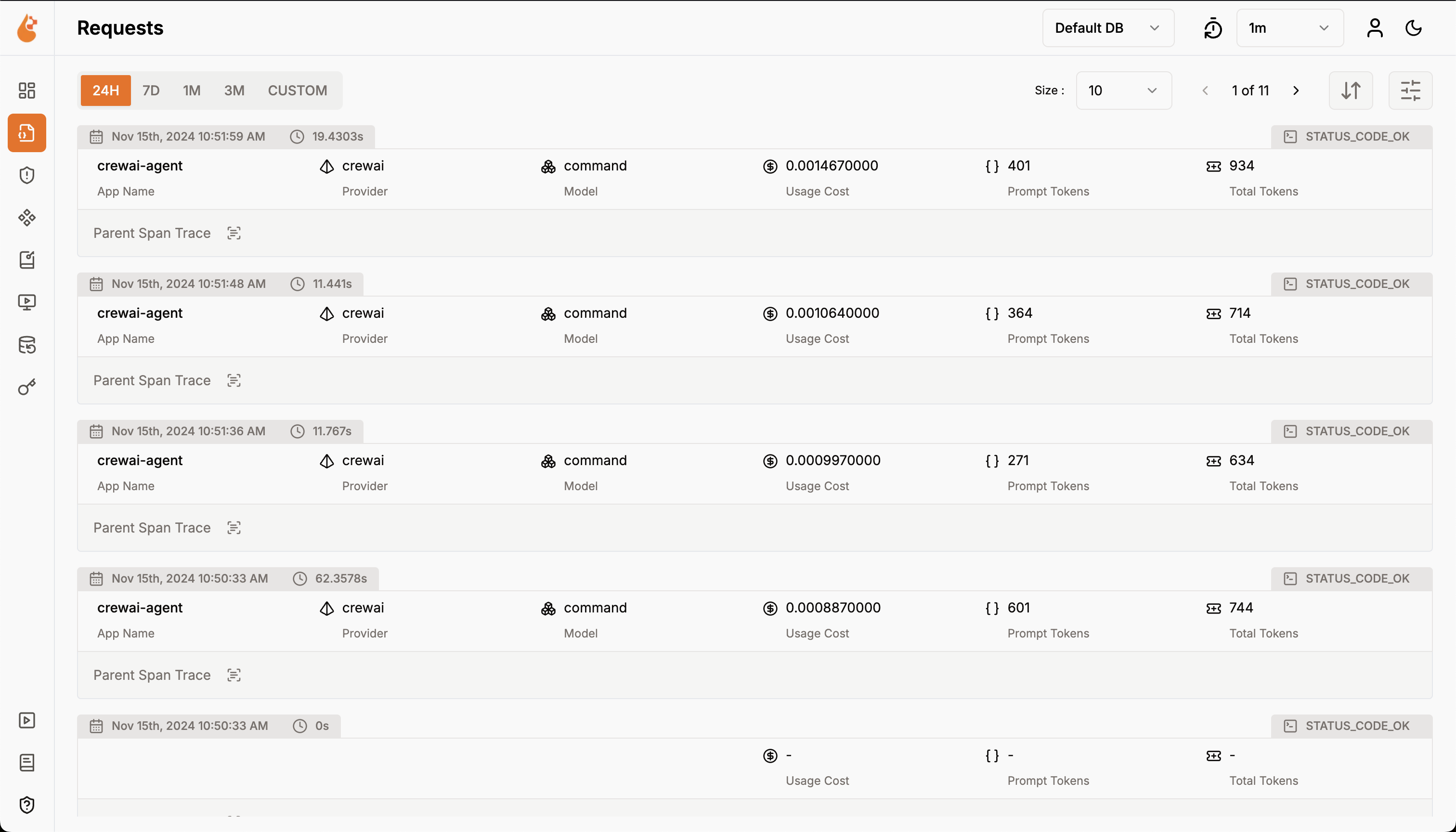
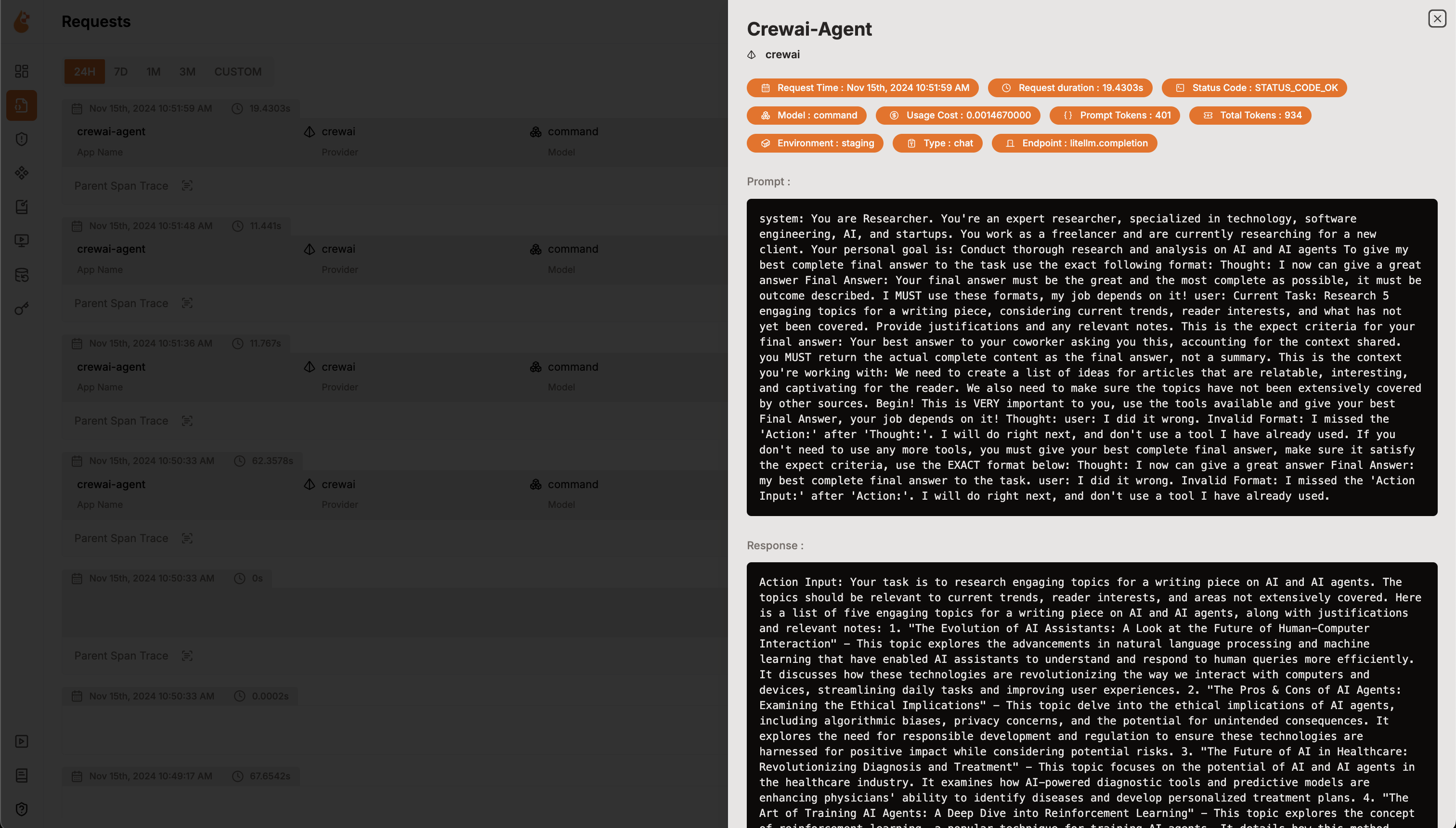
Overview Agent usage including cost and tokensOverview of agent otel traces and metricsOverview of agent traces in details

OpenLIT 仪表盘

功能

  • 分析仪表盘:通过详细的仪表盘监控您的 Agent 健康状况和性能,跟踪指标、成本和用户交互。
  • OpenTelemetry 原生可观测性 SDK:与供应商无关的 SDK,可将跟踪和指标发送到您现有的可观测性工具,如 Grafana、DataDog 等。
  • 自定义和微调模型的成本跟踪:使用自定义定价文件为特定模型量身定制成本估算,实现精确预算。
  • 异常监控仪表盘:通过监控仪表盘跟踪常见异常和错误,快速发现并解决问题。
  • 合规性和安全性:检测潜在威胁,如脏话和个人身份信息 (PII) 泄露。
  • 提示注入检测:识别潜在的代码注入和秘密泄露。
  • API 密钥和秘密管理:集中安全地处理您的 LLM API 密钥和秘密,避免不安全的做法。
  • 提示管理:使用 PromptHub 管理和版本化 Agent 提示,以便在所有 Agent 中保持一致且易于访问。
  • 模型游乐场:在部署之前测试和比较 CrewAI 代理的不同模型。

设置说明

1

部署 OpenLIT

1

Git 克隆 OpenLIT 仓库

git clone [email protected]:openlit/openlit.git
2

启动 Docker Compose

OpenLIT 仓库 的根目录下,运行以下命令
docker compose up -d
2

安装 OpenLIT SDK

pip install openlit
3

在您的应用程序中初始化 OpenLIT

将以下两行代码添加到您的应用程序代码中
  • 使用函数参数设置
  • 使用环境变量设置
import openlit
openlit.init(otlp_endpoint="http://127.0.0.1:4318")
监控 CrewAI Agent 的示例用法
from crewai import Agent, Task, Crew, Process
import openlit

openlit.init(disable_metrics=True)
# Define your agents
researcher = Agent(
    role="Researcher",
    goal="Conduct thorough research and analysis on AI and AI agents",
    backstory="You're an expert researcher, specialized in technology, software engineering, AI, and startups. You work as a freelancer and are currently researching for a new client.",
    allow_delegation=False,
    llm='command-r'
)


# Define your task
task = Task(
    description="Generate a list of 5 interesting ideas for an article, then write one captivating paragraph for each idea that showcases the potential of a full article on this topic. Return the list of ideas with their paragraphs and your notes.",
    expected_output="5 bullet points, each with a paragraph and accompanying notes.",
)

# Define the manager agent
manager = Agent(
    role="Project Manager",
    goal="Efficiently manage the crew and ensure high-quality task completion",
    backstory="You're an experienced project manager, skilled in overseeing complex projects and guiding teams to success. Your role is to coordinate the efforts of the crew members, ensuring that each task is completed on time and to the highest standard.",
    allow_delegation=True,
    llm='command-r'
)

# Instantiate your crew with a custom manager
crew = Crew(
    agents=[researcher],
    tasks=[task],
    manager_agent=manager,
    process=Process.hierarchical,
)

# Start the crew's work
result = crew.kickoff()

print(result)
有关更高级的配置和用例,请参阅 OpenLIT Python SDK 仓库
4

可视化和分析

Agent 可观测性数据已收集并发送到 OpenLIT,下一步是可视化和分析这些数据,以深入了解 Agent 的性能、行为并确定改进领域。只需在浏览器中访问 127.0.0.1:3000 上的 OpenLIT,即可开始探索。您可以使用默认凭据登录
Overview Agent usage including cost and tokensOverview of agent otel traces and metrics

OpenLIT 仪表盘