在 CrewAI 框架中,Task 是 Agent 完成的特定任务。 任务提供执行所需的所有详细信息,例如描述、负责的代理、所需工具等,从而方便了各种复杂程度的操作。 CrewAI 中的任务可以是协作性的,需要多个代理协同工作。这通过任务属性进行管理,并通过 Crew 的流程进行协调,从而提高了团队协作和效率。CrewAI AOP 在 Crew Studio 中包含一个可视化任务构建器,可简化复杂的任务创建和链式操作。无需编写代码即可直观地设计任务流程并实时测试。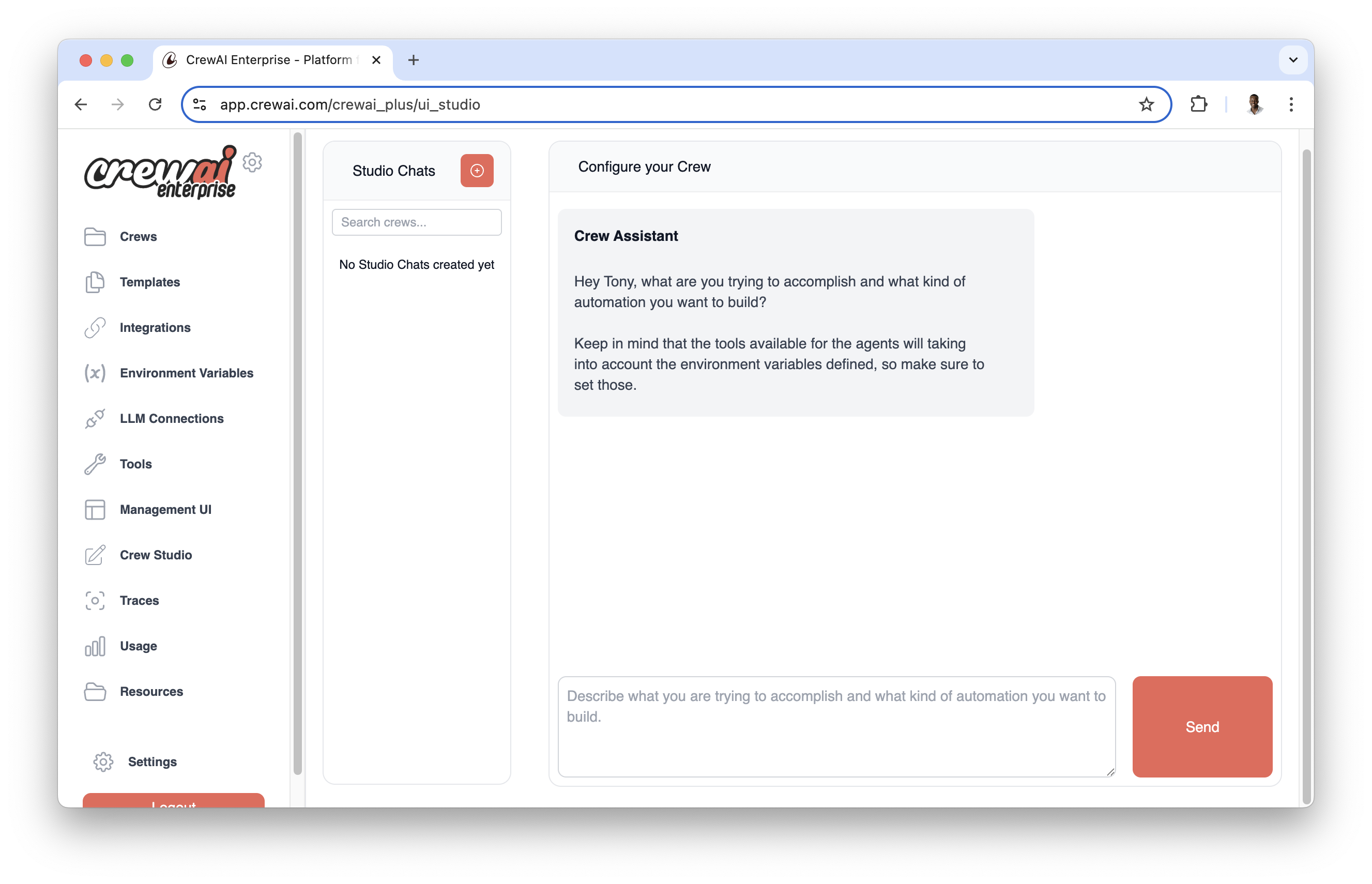 可视化任务构建器支持:
- 拖放式任务创建
- 可视化任务依赖和流程
- 实时测试和验证
- 轻松共享和协作
任务执行流程
任务可以通过两种方式执行
- 顺序执行:任务按照定义的顺序执行
- 层次执行:任务根据代理的角色和专业知识分配
执行流程在创建团队时定义
crew = Crew(
    agents=[agent1, agent2],
    tasks=[task1, task2],
    process=Process.sequential  # or Process.hierarchical
)
任务属性
| 属性 | 参数 | 类型 | 描述 | |
|---|
| 描述 | 描述 | str | 对任务内容的清晰简洁的陈述。 | |
| 预期输出 | expected_output | str | 对任务完成情况的详细描述。 | |
| 名称 (可选) | name | Optional[str] | 任务的名称标识符。 | |
| 代理 (可选) | agent | Optional[BaseAgent] | 负责执行任务的代理。 | |
| 工具 (可选) | tools | List[BaseTool] | 代理在此任务中可以使用的工具/资源。 | |
| 上下文 (可选) | context | Optional[List["Task"]] | 将其他任务的输出用作此任务的上下文。 | |
| 异步执行 (可选) | async_execution | Optional[bool] | 任务是否应异步执行。默认为 False。 | |
| 人工输入 (可选) | human_input | Optional[bool] | 任务是否应由人工审查代理的最终答案。默认为 False。 | |
| Markdown (可选) | markdown | Optional[bool] | 任务是否应指示代理以 Markdown 格式返回最终答案。默认为 False。 | |
| 配置 (可选) | config | Optional[Dict[str, Any]] | 任务特定的配置参数。 | |
| 输出文件 (可选) | output_file | Optional[str] | 存储任务输出的文件路径。 | |
| 创建目录 (可选) | create_directory | Optional[bool] | 如果 output_file 的目录不存在,是否创建它。默认为 True。 | |
| 输出 JSON (可选) | output_json | Optional[Type[BaseModel]] | 用于构建 JSON 输出的 Pydantic 模型。 | |
| 输出 Pydantic (可选) | output_pydantic | Optional[Type[BaseModel]] | 用于任务输出的 Pydantic 模型。 | |
| 回调 (可选) | callback | Optional[Any] | 任务完成后要执行的函数/对象。 | |
| 防护栏 (可选) | guardrail | Optional[Callable] | 在进入下一个任务之前验证任务输出的函数。 | |
| 防护栏(多个) (可选) | guardrails | `Optional[List[Callable] | List[str]]` | 在进入下一个任务之前验证任务输出的防护栏列表。 |
| 防护栏最大重试次数 (可选) | guardrail_max_retries | Optional[int] | 防护栏验证失败时的最大重试次数。默认为 3。 | |
任务属性 max_retries 已弃用,并将在 v1.0.0 中移除。请改用 guardrail_max_retries 来控制防护栏失败时的重试次数。
创建任务
在 CrewAI 中创建任务有两种方式:使用 YAML 配置(推荐) 或 直接在代码中 定义。
YAML 配置(推荐)
使用 YAML 配置提供了一种更清晰、更易于维护的任务定义方式。我们强烈建议在您的 CrewAI 项目中使用此方法来定义任务。 按照 安装 部分所述创建 CrewAI 项目后,导航到 src/latest_ai_development/config/tasks.yaml 文件并修改模板以满足您的特定任务要求。YAML 文件中的变量(如 {topic})将在运行团队时替换为输入值crew.kickoff(inputs={'topic': 'AI Agents'})
research_task:
  description: >
    Conduct a thorough research about {topic}
    Make sure you find any interesting and relevant information given
    the current year is 2025.
  expected_output: >
    A list with 10 bullet points of the most relevant information about {topic}
  agent: researcher

reporting_task:
  description: >
    Review the context you got and expand each topic into a full section for a report.
    Make sure the report is detailed and contains any and all relevant information.
  expected_output: >
    A fully fledge reports with the mains topics, each with a full section of information.
    Formatted as markdown without '```'
  agent: reporting_analyst
  markdown: true
  output_file: report.md
CrewBase 的团队类
# src/latest_ai_development/crew.py

from crewai import Agent, Crew, Process, Task
from crewai.project import CrewBase, agent, crew, task
from crewai_tools import SerperDevTool

@CrewBase
class LatestAiDevelopmentCrew():
  """LatestAiDevelopment crew"""

  @agent
  def researcher(self) -> Agent:
    return Agent(
      config=self.agents_config['researcher'], # type: ignore[index]
      verbose=True,
      tools=[SerperDevTool()]
    )

  @agent
  def reporting_analyst(self) -> Agent:
    return Agent(
      config=self.agents_config['reporting_analyst'], # type: ignore[index]
      verbose=True
    )

  @task
  def research_task(self) -> Task:
    return Task(
      config=self.tasks_config['research_task'] # type: ignore[index]
    )

  @task
  def reporting_task(self) -> Task:
    return Task(
      config=self.tasks_config['reporting_task'] # type: ignore[index]
    )

  @crew
  def crew(self) -> Crew:
    return Crew(
      agents=[
        self.researcher(),
        self.reporting_analyst()
      ],
      tasks=[
        self.research_task(),
        self.reporting_task()
      ],
      process=Process.sequential
    )
您在 YAML 文件(agents.yaml 和 tasks.yaml)中使用的名称应与 Python 代码中的方法名称匹配。
直接代码定义(替代方案)
或者,您也可以直接在代码中定义任务,而无需使用 YAML 配置
from crewai import Task

research_task = Task(
    description="""
        Conduct a thorough research about AI Agents.
        Make sure you find any interesting and relevant information given
        the current year is 2025.
    """,
    expected_output="""
        A list with 10 bullet points of the most relevant information about AI Agents
    """,
    agent=researcher
)

reporting_task = Task(
    description="""
        Review the context you got and expand each topic into a full section for a report.
        Make sure the report is detailed and contains any and all relevant information.
    """,
    expected_output="""
        A fully fledge reports with the mains topics, each with a full section of information.
    """,
    agent=reporting_analyst,
    markdown=True,  # Enable markdown formatting for the final output
    output_file="report.md"
)
直接为分配指定一个 agent,或者让 hierarchical CrewAI 的流程根据角色、可用性等进行决定。
任务输出
了解任务输出对于构建高效的 AI 工作流至关重要。CrewAI 提供了一种结构化的方式来通过 TaskOutput 类处理任务结果,该类支持多种输出格式,并且可以轻松地在任务之间传递。 CrewAI 框架中任务的输出封装在 TaskOutput 类中。此类提供了一种结构化的方式来访问任务结果,包括原始输出、JSON 和 Pydantic 模型等各种格式。 默认情况下,TaskOutput 只包含 raw 输出。只有当原始 Task 对象配置了 output_pydantic 或 output_json 时,TaskOutput 才会分别包含 pydantic 或 json_dict 输出。任务输出属性
| 属性 | 参数 | 类型 | 描述 |
|---|
| 描述 | 描述 | str | 任务描述。 |
| 摘要 | summary | Optional[str] | 任务摘要,自动从描述的前 10 个词生成。 |
| 原始 | raw | str | 任务的原始输出。这是输出的默认格式。 |
| Pydantic | pydantic | Optional[BaseModel] | 表示任务结构化输出的 Pydantic 模型对象。 |
| JSON 字典 | json_dict | Optional[Dict[str, Any]] | 表示任务 JSON 输出的字典。 |
| 代理 | agent | str | 执行任务的代理。 |
| 输出格式 | output_format | OutputFormat | 任务输出的格式,选项包括 RAW、JSON 和 Pydantic。默认为 RAW。 |
| 消息 | messages | list[LLMMessage] | 上次任务执行的消息。 |
任务方法和属性
| 方法/属性 | 描述 |
|---|
| json | 如果输出格式为 JSON,则返回任务输出的 JSON 字符串表示形式。 |
| to_dict | 将 JSON 和 Pydantic 输出转换为字典。 |
| str | 返回任务输出的字符串表示形式,优先级为 Pydantic、JSON,然后是原始。 |
访问任务输出
任务执行后,可以通过 Task 对象的 output 属性访问其输出。TaskOutput 类提供了各种与此输出交互和呈现的方式。
# Example task
task = Task(
    description='Find and summarize the latest AI news',
    expected_output='A bullet list summary of the top 5 most important AI news',
    agent=research_agent,
    tools=[search_tool]
)

# Execute the crew
crew = Crew(
    agents=[research_agent],
    tasks=[task],
    verbose=True
)

result = crew.kickoff()

# Accessing the task output
task_output = task.output

print(f"Task Description: {task_output.description}")
print(f"Task Summary: {task_output.summary}")
print(f"Raw Output: {task_output.raw}")
if task_output.json_dict:
    print(f"JSON Output: {json.dumps(task_output.json_dict, indent=2)}")
if task_output.pydantic:
    print(f"Pydantic Output: {task_output.pydantic}")
markdown 参数支持任务输出的自动 Markdown 格式化。设置为 True 时,任务将指示代理使用适当的 Markdown 语法格式化最终答案。
# Example task with markdown formatting enabled
formatted_task = Task(
    description="Create a comprehensive report on AI trends",
    expected_output="A well-structured report with headers, sections, and bullet points",
    agent=reporter_agent,
    markdown=True  # Enable automatic markdown formatting
)
markdown=True 时,代理将收到额外的指令,要求使用以下格式输出
# 用于标题**text** 用于粗体文本*text* 用于斜体文本- 或 * 用于项目符号`code` 用于行内代码 language ``` 用于代码块
带 Markdown 的 YAML 配置
analysis_task:
  description: >
    Analyze the market data and create a detailed report
  expected_output: >
    A comprehensive analysis with charts and key findings
  agent: analyst
  markdown: true  # Enable markdown formatting
  output_file: analysis.md
Markdown 输出的优点
- 一致的格式:确保所有输出都遵循正确的 Markdown 约定
- 更好的可读性:带标题、列表和强调的结构化内容
- 文档就绪:输出可以直接用于文档系统
- 跨平台兼容性:Markdown 普遍支持
当 markdown=True 时,Markdown 格式指令会自动添加到任务提示中,因此您无需在任务描述中指定格式要求。
任务依赖和上下文
任务可以使用 context 属性依赖于其他任务的输出。例如
research_task = Task(
    description="Research the latest developments in AI",
    expected_output="A list of recent AI developments",
    agent=researcher
)

analysis_task = Task(
    description="Analyze the research findings and identify key trends",
    expected_output="Analysis report of AI trends",
    agent=analyst,
    context=[research_task]  # This task will wait for research_task to complete
)
任务防护栏
任务防护栏提供了一种在将任务输出传递给下一个任务之前验证和转换任务输出的方法。此功能有助于确保数据质量,并在输出不符合特定标准时向代理提供反馈。 CrewAI 支持两种类型的防护栏:
-
基于函数的防护栏:具有自定义验证逻辑的 Python 函数,可让您完全控制验证过程并确保可靠、确定性的结果。
-
基于 LLM 的防护栏:字符串描述,使用代理的 LLM 根据自然语言标准验证输出。这些适用于复杂或主观的验证要求。
基于函数的防护栏
要向任务添加基于函数的防护栏,请通过 guardrail 参数提供验证函数
from typing import Tuple, Union, Dict, Any
from crewai import TaskOutput

def validate_blog_content(result: TaskOutput) -> Tuple[bool, Any]:
    """Validate blog content meets requirements."""
    try:
        # Check word count
        word_count = len(result.raw.split())
        if word_count > 200:
            return (False, "Blog content exceeds 200 words")

        # Additional validation logic here
        return (True, result.raw.strip())
    except Exception as e:
        return (False, "Unexpected error during validation")

blog_task = Task(
    description="Write a blog post about AI",
    expected_output="A blog post under 200 words",
    agent=blog_agent,
    guardrail=validate_blog_content  # Add the guardrail function
)
基于 LLM 的防护栏(字符串描述)
您可以使用利用 LLM 驱动的验证的字符串描述,而不是编写自定义验证函数。当您向 guardrail 或 guardrails 参数提供字符串时,CrewAI 会自动创建一个 LLMGuardrail,它使用代理的 LLM 根据您的描述验证输出。 要求:
- 任务必须分配有一个
agent(防护栏使用代理的 LLM)
- 提供清晰、描述性的字符串来解释验证标准
from crewai import Task

# Single LLM-based guardrail
blog_task = Task(
    description="Write a blog post about AI",
    expected_output="A blog post under 200 words",
    agent=blog_agent,
    guardrail="The blog post must be under 200 words and contain no technical jargon"
)
- 难以通过编程表达的复杂验证逻辑
- 主观标准,如语气、风格或质量评估
- 比代码更容易描述的自然语言要求
LLM 防护栏将
- 根据您的描述分析任务输出
- 如果输出符合标准,则返回
(True, output)
- 如果验证失败,则返回
(False, feedback) 并提供具体反馈
包含详细验证标准的示例:
research_task = Task(
    description="Research the latest developments in quantum computing",
    expected_output="A comprehensive research report",
    agent=researcher_agent,
    guardrail="""
    The research report must:
    - Be at least 1000 words long
    - Include at least 5 credible sources
    - Cover both technical and practical applications
    - Be written in a professional, academic tone
    - Avoid speculation or unverified claims
    """
)
多个防护栏
您可以使用 guardrails 参数向任务应用多个防护栏。多个防护栏按顺序执行,每个防护栏接收前一个防护栏的输出。这允许您链式验证和转换步骤。 guardrails 参数接受:
- 防护栏函数或字符串描述的列表
- 单个防护栏函数或字符串(与
guardrail 相同)
注意:如果提供了 guardrails,它将优先于 guardrail。当设置 guardrails 时,guardrail 参数将被忽略。
from typing import Tuple, Any
from crewai import TaskOutput, Task

def validate_word_count(result: TaskOutput) -> Tuple[bool, Any]:
    """Validate word count is within limits."""
    word_count = len(result.raw.split())
    if word_count < 100:
        return (False, f"Content too short: {word_count} words. Need at least 100 words.")
    if word_count > 500:
        return (False, f"Content too long: {word_count} words. Maximum is 500 words.")
    return (True, result.raw)

def validate_no_profanity(result: TaskOutput) -> Tuple[bool, Any]:
    """Check for inappropriate language."""
    profanity_words = ["badword1", "badword2"]  # Example list
    content_lower = result.raw.lower()
    for word in profanity_words:
        if word in content_lower:
            return (False, f"Inappropriate language detected: {word}")
    return (True, result.raw)

def format_output(result: TaskOutput) -> Tuple[bool, Any]:
    """Format and clean the output."""
    formatted = result.raw.strip()
    # Capitalize first letter
    formatted = formatted[0].upper() + formatted[1:] if formatted else formatted
    return (True, formatted)

# Apply multiple guardrails sequentially
blog_task = Task(
    description="Write a blog post about AI",
    expected_output="A well-formatted blog post between 100-500 words",
    agent=blog_agent,
    guardrails=[
        validate_word_count,      # First: validate length
        validate_no_profanity,    # Second: check content
        format_output             # Third: format the result
    ],
    guardrail_max_retries=3
)
validate_word_count 检查字数validate_no_profanity 检查不当语言(使用步骤 1 的输出)format_output 格式化最终结果(使用步骤 2 的输出)
如果任何防护栏失败,错误将发送回代理,任务将重试最多 guardrail_max_retries 次。 混合基于函数的防护栏和基于 LLM 的防护栏: 您可以在同一列表中组合基于函数和基于字符串的防护栏:from typing import Tuple, Any
from crewai import TaskOutput, Task
def validate_word_count(result: TaskOutput) -> Tuple[bool, Any]:
"""Validate word count is within limits."""
word_count = len(result.raw.split())
if word_count < 100:
return (False, f"Content too short: {word_count} words. Need at least 100 words.")
if word_count > 500:
return (False, f"Content too long: {word_count} words. Maximum is 500 words.")
return (True, result.raw)
# Mix function-based and LLM-based guardrails
blog_task = Task(
description="Write a blog post about AI",
expected_output="A well-formatted blog post between 100-500 words",
agent=blog_agent,
guardrails=[
validate_word_count, # Function-based: precise word count check
"The content must be engaging and suitable for a general audience", # LLM-based: subjective quality check
"The writing style should be clear, concise, and free of technical jargon" # LLM-based: style validation
],
guardrail_max_retries=3
)
防护栏函数要求
-
函数签名:
- 必须只接受一个参数(任务输出)
- 应返回一个
(bool, Any) 元组
- 类型提示是推荐但可选的
-
返回值:
- 成功时:返回一个
(bool, Any) 元组。例如:(True, validated_result)
- 失败时:返回一个
(bool, str) 元组。例如:(False, "错误消息解释失败")
错误处理最佳实践
- 结构化错误响应:
from crewai import TaskOutput, LLMGuardrail

def validate_with_context(result: TaskOutput) -> Tuple[bool, Any]:
    try:
        # Main validation logic
        validated_data = perform_validation(result)
        return (True, validated_data)
    except ValidationError as e:
        return (False, f"VALIDATION_ERROR: {str(e)}")
    except Exception as e:
        return (False, str(e))
-
错误类别:
- 使用特定的错误代码
- 包含相关上下文
- 提供可操作的反馈
-
验证链:
from typing import Any, Dict, List, Tuple, Union
from crewai import TaskOutput

def complex_validation(result: TaskOutput) -> Tuple[bool, Any]:
    """Chain multiple validation steps."""
    # Step 1: Basic validation
    if not result:
        return (False, "Empty result")

    # Step 2: Content validation
    try:
        validated = validate_content(result)
        if not validated:
            return (False, "Invalid content")

        # Step 3: Format validation
        formatted = format_output(validated)
        return (True, formatted)
    except Exception as e:
        return (False, str(e))
处理防护栏结果
当防护栏返回 (False, error) 时
- 错误将发送回代理
- 代理尝试修复问题
- 重复该过程直到
- 防护栏返回
(True, result)
- 达到最大重试次数 (
guardrail_max_retries)
带重试处理的示例
from typing import Optional, Tuple, Union
from crewai import TaskOutput, Task

def validate_json_output(result: TaskOutput) -> Tuple[bool, Any]:
    """Validate and parse JSON output."""
    try:
        # Try to parse as JSON
        data = json.loads(result)
        return (True, data)
    except json.JSONDecodeError as e:
        return (False, "Invalid JSON format")

task = Task(
    description="Generate a JSON report",
    expected_output="A valid JSON object",
    agent=analyst,
    guardrail=validate_json_output,
    guardrail_max_retries=3  # Limit retry attempts
)
从任务中获取结构化一致的输出
还需要注意的是,团队最终任务的输出将成为实际团队本身的最终输出。
使用 output_pydantic
output_pydantic 属性允许您定义任务输出应符合的 Pydantic 模型。这确保了输出不仅结构化,而且根据 Pydantic 模型进行了验证。 以下是演示如何使用 output_pydantic 的示例:import json
from crewai import Agent, Crew, Process, Task
from pydantic import BaseModel
class Blog(BaseModel):
title: str
content: str
blog_agent = Agent(
role="Blog Content Generator Agent",
goal="Generate a blog title and content",
backstory="""You are an expert content creator, skilled in crafting engaging and informative blog posts.""",
verbose=False,
allow_delegation=False,
llm="gpt-4o",
)
task1 = Task(
description="""Create a blog title and content on a given topic. Make sure the content is under 200 words.""",
expected_output="A compelling blog title and well-written content.",
agent=blog_agent,
output_pydantic=Blog,
)
# Instantiate your crew with a sequential process
crew = Crew(
agents=[blog_agent],
tasks=[task1],
verbose=True,
process=Process.sequential,
)
result = crew.kickoff()
# Option 1: Accessing Properties Using Dictionary-Style Indexing
print("Accessing Properties - Option 1")
title = result["title"]
content = result["content"]
print("Title:", title)
print("Content:", content)
# Option 2: Accessing Properties Directly from the Pydantic Model
print("Accessing Properties - Option 2")
title = result.pydantic.title
content = result.pydantic.content
print("Title:", title)
print("Content:", content)
# Option 3: Accessing Properties Using the to_dict() Method
print("Accessing Properties - Option 3")
output_dict = result.to_dict()
title = output_dict["title"]
content = output_dict["content"]
print("Title:", title)
print("Content:", content)
# Option 4: Printing the Entire Blog Object
print("Accessing Properties - Option 5")
print("Blog:", result)
- 定义了一个 Pydantic 模型 Blog,其中包含标题和内容字段。
- 任务 task1 使用 output_pydantic 属性来指定其输出应符合 Blog 模型。
- 执行团队后,您可以如所示通过多种方式访问结构化输出。
访问输出的解释
- 字典样式索引:您可以使用 result[“field_name”] 直接访问字段。这之所以可行,是因为 CrewOutput 类实现了 getitem 方法。
- 直接从 Pydantic 模型:直接从 result.pydantic 对象访问属性。
- 使用 to_dict() 方法:将输出转换为字典并访问字段。
- 打印整个对象:只需打印 result 对象即可查看结构化输出。
使用 output_json
output_json 属性允许您以 JSON 格式定义预期输出。这确保了任务的输出是一个有效的 JSON 结构,可以轻松地在您的应用程序中解析和使用。 以下是演示如何使用 output_json 的示例:import json
from crewai import Agent, Crew, Process, Task
from pydantic import BaseModel
# Define the Pydantic model for the blog
class Blog(BaseModel):
title: str
content: str
# Define the agent
blog_agent = Agent(
role="Blog Content Generator Agent",
goal="Generate a blog title and content",
backstory="""You are an expert content creator, skilled in crafting engaging and informative blog posts.""",
verbose=False,
allow_delegation=False,
llm="gpt-4o",
)
# Define the task with output_json set to the Blog model
task1 = Task(
description="""Create a blog title and content on a given topic. Make sure the content is under 200 words.""",
expected_output="A JSON object with 'title' and 'content' fields.",
agent=blog_agent,
output_json=Blog,
)
# Instantiate the crew with a sequential process
crew = Crew(
agents=[blog_agent],
tasks=[task1],
verbose=True,
process=Process.sequential,
)
# Kickoff the crew to execute the task
result = crew.kickoff()
# Option 1: Accessing Properties Using Dictionary-Style Indexing
print("Accessing Properties - Option 1")
title = result["title"]
content = result["content"]
print("Title:", title)
print("Content:", content)
# Option 2: Printing the Entire Blog Object
print("Accessing Properties - Option 2")
print("Blog:", result)
- 定义了一个 Pydantic 模型 Blog,其中包含标题和内容字段,用于指定 JSON 输出的结构。
- 任务 task1 使用 output_json 属性来指示它需要符合 Blog 模型的 JSON 输出。
- 执行团队后,您可以如所示通过两种方式访问结构化 JSON 输出。
访问输出的解释
- 使用字典样式索引访问属性:您可以使用 result[“field_name”] 直接访问字段。这之所以可能,是因为 CrewOutput 类实现了 getitem 方法,允许您像处理字典一样处理输出。在此选项中,我们从结果中检索标题和内容。
- 打印整个 Blog 对象:通过打印 result,您可以获得 CrewOutput 对象的字符串表示形式。由于 str 方法被实现为返回 JSON 输出,因此这将以格式化字符串的形式显示整个输出,表示 Blog 对象。
通过使用 output_pydantic 或 output_json,您可以确保任务以一致的结构化格式生成输出,从而更轻松地在应用程序或多个任务中处理和利用数据。
利用 CrewAI 工具包 和 LangChain 工具 中的工具,以增强任务性能和代理交互。
import os
os.environ["OPENAI_API_KEY"] = "Your Key"
os.environ["SERPER_API_KEY"] = "Your Key" # serper.dev API key

from crewai import Agent, Task, Crew
from crewai_tools import SerperDevTool

research_agent = Agent(
  role='Researcher',
  goal='Find and summarize the latest AI news',
  backstory="""You're a researcher at a large company.
  You're responsible for analyzing data and providing insights
  to the business.""",
  verbose=True
)

# to perform a semantic search for a specified query from a text's content across the internet
search_tool = SerperDevTool()

task = Task(
  description='Find and summarize the latest AI news',
  expected_output='A bullet list summary of the top 5 most important AI news',
  agent=research_agent,
  tools=[search_tool]
)

crew = Crew(
    agents=[research_agent],
    tasks=[task],
    verbose=True
)

result = crew.kickoff()
print(result)
引用其他任务
在 CrewAI 中,一个任务的输出会自动传递给下一个任务,但您可以明确定义哪些任务的输出(包括多个)应作为另一个任务的上下文。 当您的任务依赖于一个不是紧随其后执行的其他任务的输出时,这会很有用。这是通过任务的 context 属性完成的:# ...
research_ai_task = Task(
description="Research the latest developments in AI",
expected_output="A list of recent AI developments",
async_execution=True,
agent=research_agent,
tools=[search_tool]
)
research_ops_task = Task(
description="Research the latest developments in AI Ops",
expected_output="A list of recent AI Ops developments",
async_execution=True,
agent=research_agent,
tools=[search_tool]
)
write_blog_task = Task(
description="Write a full blog post about the importance of AI and its latest news",
expected_output="Full blog post that is 4 paragraphs long",
agent=writer_agent,
context=[research_ai_task, research_ops_task]
)
#...
异步执行
您可以将任务定义为异步执行。这意味着团队不会等待其完成才继续执行下一个任务。这对于执行时间较长或对后续任务不关键的任务很有用。 然后,您可以使用 context 属性在未来的任务中定义它应该等待异步任务的输出完成。#...
list_ideas = Task(
description="List of 5 interesting ideas to explore for an article about AI.",
expected_output="Bullet point list of 5 ideas for an article.",
agent=researcher,
async_execution=True # Will be executed asynchronously
)
list_important_history = Task(
description="Research the history of AI and give me the 5 most important events.",
expected_output="Bullet point list of 5 important events.",
agent=researcher,
async_execution=True # Will be executed asynchronously
)
write_article = Task(
description="Write an article about AI, its history, and interesting ideas.",
expected_output="A 4 paragraph article about AI.",
agent=writer,
context=[list_ideas, list_important_history] # Will wait for the output of the two tasks to be completed
)
#...
回调机制
回调函数在任务完成后执行,允许根据任务结果触发操作或通知。
# ...

def callback_function(output: TaskOutput):
    # Do something after the task is completed
    # Example: Send an email to the manager
    print(f"""
        Task completed!
        Task: {output.description}
        Output: {output.raw}
    """)

research_task = Task(
    description='Find and summarize the latest AI news',
    expected_output='A bullet list summary of the top 5 most important AI news',
    agent=research_agent,
    tools=[search_tool],
    callback=callback_function
)

#...
访问特定任务输出
团队运行结束后,您可以使用任务对象的 output 属性访问特定任务的输出
# ...
task1 = Task(
    description='Find and summarize the latest AI news',
    expected_output='A bullet list summary of the top 5 most important AI news',
    agent=research_agent,
    tools=[search_tool]
)

#...

crew = Crew(
    agents=[research_agent],
    tasks=[task1, task2, task3],
    verbose=True
)

result = crew.kickoff()

# Returns a TaskOutput object with the description and results of the task
print(f"""
    Task completed!
    Task: {task1.output.description}
    Output: {task1.output.raw}
""")
错误处理和验证机制
在创建和执行任务时,会实施某些验证机制,以确保任务属性的健壮性和可靠性。这些机制包括但不限于:
- 确保每个任务只设置一种输出类型,以保持清晰的输出预期。
- 防止手动分配
id 属性,以维护唯一标识符系统的完整性。
这些验证有助于维护 CrewAI 框架中任务执行的一致性和可靠性。
保存文件时创建目录
create_directory 参数控制 CrewAI 在将任务输出保存到文件时是否自动创建目录。此功能对于组织输出和确保文件路径结构正确特别有用,尤其是在处理复杂的项目层次结构时。
默认行为
默认情况下,create_directory=True,这意味着 CrewAI 会自动创建输出文件路径中任何缺失的目录
# Default behavior - directories are created automatically
report_task = Task(
    description='Generate a comprehensive market analysis report',
    expected_output='A detailed market analysis with charts and insights',
    agent=analyst_agent,
    output_file='reports/2025/market_analysis.md',  # Creates 'reports/2025/' if it doesn't exist
    markdown=True
)
禁用目录创建
如果您想阻止自动目录创建并确保目录已存在,请设置 create_directory=False
# Strict mode - directory must already exist
strict_output_task = Task(
    description='Save critical data that requires existing infrastructure',
    expected_output='Data saved to pre-configured location',
    agent=data_agent,
    output_file='secure/vault/critical_data.json',
    create_directory=False  # Will raise RuntimeError if 'secure/vault/' doesn't exist
)
YAML 配置
您还可以在 YAML 任务定义中配置此行为
analysis_task:
  description: >
    Generate quarterly financial analysis
  expected_output: >
    A comprehensive financial report with quarterly insights
  agent: financial_analyst
  output_file: reports/quarterly/q4_2024_analysis.pdf
  create_directory: true  # Automatically create 'reports/quarterly/' directory

audit_task:
  description: >
    Perform compliance audit and save to existing audit directory
  expected_output: >
    A compliance audit report
  agent: auditor
  output_file: audit/compliance_report.md
  create_directory: false  # Directory must already exist
create_directory=True)
- 开发和原型环境
- 带日期文件夹的动态报告生成
- 目录结构可能变化的自动化工作流
- 带用户特定文件夹的多租户应用程序
手动目录管理 (create_directory=False)
- 具有严格文件系统控制的生产环境
- 目录必须预先配置的安全性敏感应用程序
- 具有特定权限要求的系统
- 目录创建经过审计的合规环境
错误处理
当 create_directory=False 且目录不存在时,CrewAI 将引发 RuntimeError
try:
    result = crew.kickoff()
except RuntimeError as e:
    # Handle missing directory error
    print(f"Directory creation failed: {e}")
    # Create directory manually or use fallback location
